

Thanks. Ugreen has like a half dozen such adapter and adapter cables, so making sense which one this update talks about is a bit tricky.This is the adapter https://www.amazon.com/dp/B0FQCGSWW3?th=1
Thanks. Ugreen has like a half dozen such adapter and adapter cables, so making sense which one this update talks about is a bit tricky.This is the adapter https://www.amazon.com/dp/B0FQCGSWW3?th=1
 www.gamingonlinux.com
 www.gamingonlinux.com

 www.gamingonlinux.com

Other than the DX12 performance penalty, were there any other issues using this spec on Linux? I have exactly the same as you.WE ARE DOZENS NOWADAYS.
DOZENS!
I have been using CachyOS since March. I haven't returned a single time to Windows other than by mistake.
Using a 5080 + 9800X3D.
Just hoping Nvidia fixes the DX12 performance penalty SOON.
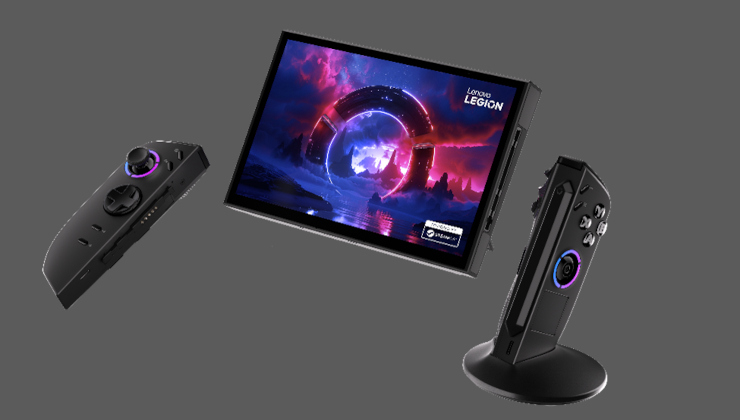
This might be when I replace my Deck and ROG Ally.Lenovo Legion Go 2 will get a SteamOS version in June
Another official SteamOS handheld has been announced, and it's Lenovo again with the Legion Go 2.
Lenovo Legion Go 2 will get a SteamOS version in June
 www.gamingonlinux.com
None. I'm so more happy with Linux than I ever was with Windows for 30 years.Other than the DX12 performance penalty, were there any other issues using this spec on Linux? I have exactly the same as you.
This might be when I replace my Deck and ROG Ally.
 www.gamingonlinux.com
 www.videogameschronicle.com
The new owner of PC game store GOG.com has criticised the Windows ecosystem, and suggested the store will support Linux owners better in the future.

I think it's always healthy to take a "seeing is believing" approach with these things, but the reason this is news is because GOG isn't owned by CDPR anymore.Witcher 3 was supoosed to come to linux in 2015, and previous comments CDPR disregarded Linux as a gaming platform. I'll believe GOG will support linux once it's done, It's well worth higlighting that while Valve might be making gaming more viable on Linux, it's still well below 5% of the market share, so supporting Linux now won't bring GOG a big, immediate payoff.
 www.gamingonlinux.com
 www.gamingonlinux.com


Havent really tried, but I did see that there is the autostart thingie in system setting and for vesktop I at least have --start-minimized argument in settings for the app, not sure if its just for that one of if it works for others tooAny idea how to autostart programs without having them full blown open at startup ?
No, I'm not talking about Steam, it's a lost cause, but for example I need Solaar. I add Solaar to the startup process.Profi...
Err...
Now I have Steam AND Solaar opening up on startup
Lol, it obviously failed to start when I put that in argument. It was too easy.Havent really tried, but I did see that there is the autostart thingie in system setting and for vesktop I at least have --start-minimized argument in settings for the app, not sure if its just for that one of if it works for others too
I asked chatgpt, seems that specific argrument is discord, its different for other apps, no idea how to know exact argument for the apps you them forLol, it obviously failed to start when I put that in argument. It was too easy.
 www.gamingonlinux.com
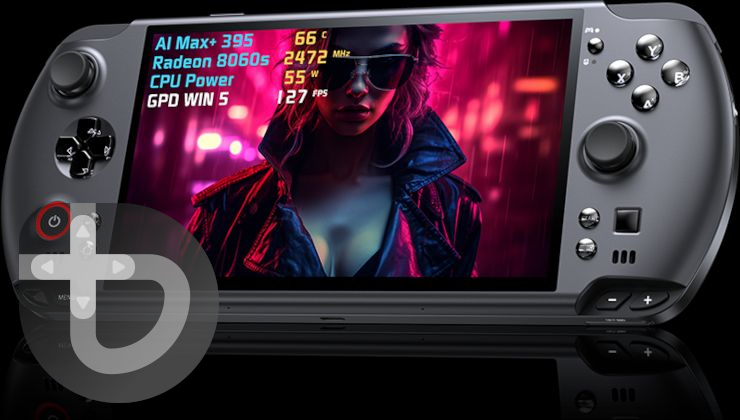
GPD is not a serious company. They make cool hardware, but they'll say whatever they think helps sell their product and you really shouldn't believe any of it. Wait for stuff to come out and reliable reviews.Bazzite Linux founder releases statement asking GPD to cease using their name
The story of GPD and Bazzite Linux continues, with the founder of Bazzite releasing a fresh statement making it clear there's nothing happening between them.
GDP up to their nonsense again
they claimed GDP Win 4 had official steam os support (it was holo iso)
now they claim GDP Win 5 has official Bazzite support and the devs have hardware (all lies)

GOG job listing for a Senior Software Engineer notes "Linux is the next major frontier"
Will 2026 truly be the real year of Linux gaming on the desktop? Perhaps! And now even GOG are hiring towards building up their Linux support for GOG Galaxy.
www.gamingonlinux.com

It didn't exist when the thread was createdYo no bazzite poll option?


that's not an excuse, smh!It didn't exist when the thread was created


 github.com
- add upstream patches for Arknights Endfield
- add pending upstream patch to allow proper placement of systray icons when winewayland is enabled
- import upstream changes to fix EA games
- updated em10/wine-wayland patches
- add changes to allow compiling on aarch64 (yes, proton-ge works on aarch64/ARM! -- still very WIP, YMMV)
Notes regarding aarch64(ARM):
- currently needs unreleased version of umu-launcher in order to use, as currently there is no aarch64 version of steam client. the umu-launcher changes will be pushed soon.
- 32 bit games are hit or miss from my limited testing
- gog installers need X87ReducedPrecision changed to 0 in Config.json for FEX (inside the Proton version's folder) to allow them to run
- must stress/reiterate YMMV -- your mileage may vary. The upstream work with proton/fex is NOT something we are involved in. If it works then great, if it doesn't -- don't ask us. It's WIP on Valve's side.
I used gamescope mostly as a wrapper to make Steam Overlay work on Wayland. Another use case for it is for upscaling old VN/ADV that has sub-HD resolution, or games that doesn't support >1080p resolution, basically. Although the former doesn't seem to work for every game, but that's primarily a wine-wayland issue.
In regard to improving frame times, though --if we can have native Reflex (or even LatencyFlex) working consistently on Linux, that would be ideal. Back in Windows you can have SpecialK hooking into Reflex and make it available for games that doesn't have native support for it. But sadly we don't have a solution yet for Linux.
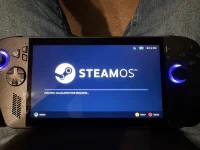
View attachment 1034
Upgraded with a new SSD and OS. It says SteamOS, but I’m actually running Bazzite.
Yeah, it froze on that screen and I rebooted and it worked. Got some weird screens (it thought I was using a Steam Machine and wanted me to pair a controller) but managed to back out of that and get to the main OS.Have you got to use it yet? How's it all working?
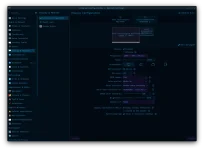 The resolution selector now has 1280x800 and 800x1280 options. I was wrapped. Although I'm not sure if it's the KMS settings that did it or something else, since I also recently updated my rig. But hey, as long as it works.
Mesa 26.0.0 Release Notes / 2026-02-11
Mesa 26.0.0 is a new development release. People who are concerned with stability and reliability should stick with a previous release or wait for Mesa 26.0.1.


with one exceptionGreat news, if EA does it then everyone else will follow sooner or later.

with one exception
he just REALLY hates CanadaOf course, our pal Tim is too much of an asshole to actually do something cool.
 www.gamingonlinux.com


